
Photography and imaging, Technique and Technology
Showing posts with label cs4 tips. Show all posts
Showing posts with label cs4 tips. Show all posts
Saturday, March 13, 2010
Selective Focus - Blur tool

This image was shot normally and then the out of focus area was added with CS4, using a gradient mask and the blur filter, this can also be accomplished in camera with tilt shift lenses.
These are fun images to put together and give the impression of models or dioramas.
Simply create a new back ground layer, add the filter>blur>lens blur
edit in quick mask mode and choose the gradient tool of your liking
finally bump up your curves to soften the edge contrast.
Ross Murphy Images In Light


Monday, January 25, 2010
CS4 Color range selection
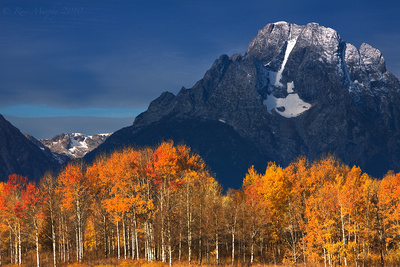 Image: Snake River, 5D, 70-200 f2.8 IS L, 3 stop soft GND, B + W CPL.
Larger Image
A very handy tool in CS4 is the color range selection for selecting large areas by color, this can be used to selectively lighten, darken, adjust color or sharpen by selecting a color. From the menu 'select > color range' in the dialog box adjust 'fuzziness' to desired level, (watch the preview) around 20-60 will work, then select the '+ eyedropper' to add more of the color range to be adjusted, say OK and select the adjustment layer from the pallets menu, ie. levels, color balance, etc... and adjust your image. In the above image this allowed me to adjust just the yellow in the trees to the levels I needed. Nice little trick and well worth trying.
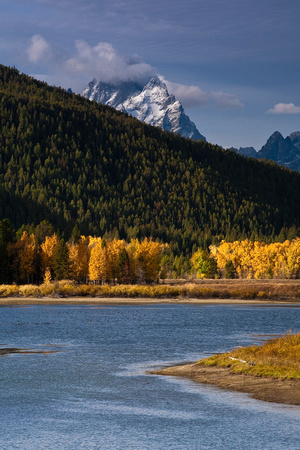
Same in this image.

Ross Murphy Images In Light
Same in this image.
Ross Murphy Images In Light
Subscribe to:
Posts (Atom)